Did you know that nearly 25% of Pinterest’s SEO traffic goes to boards?
I think that’s huge.
We spend so much time creating Pins—designing graphics, researching keyword strategy, and developing content strategy—that boards often become the forgotten part of a Pinterest account.
The truth is, they’re much more than a place to organize your Pins.
A thoughtful board strategy helps Pinterest understand what your account is about, makes it easier for people to discover your content, and creates a better experience for anyone visiting your profile.
Whether you’re creating Pinterest boards for the first time or revisiting boards you’ve had for years, it may be time to look at them a little differently.
Why I Wanted to Write This Article
When Pinterest recently shared that nearly 25% of its SEO traffic goes to boards, it caught my attention.
Boards are easy to create—and just as easy to leave alone for years.
I’ll be honest. Board strategy is something I continue to refine myself.
It’s easy to keep using the same boards you’ve always used, especially when they’ve been part of your account or a client’s account for a long time. And if you’re newer to Pinterest, deciding what boards to create in the first place can feel confusing too.
Between keyword research, Pinterest interests, board names, old boards, new boards, and deciding what belongs where, board strategy can feel more complicated than it needs to be.
That’s exactly why I wanted to write this article.
Whether you’re creating boards for the first time or revisiting boards you’ve had for years, I hope this gives you a fresh perspective on an often-overlooked part of Pinterest.
What Is a Pinterest Board?
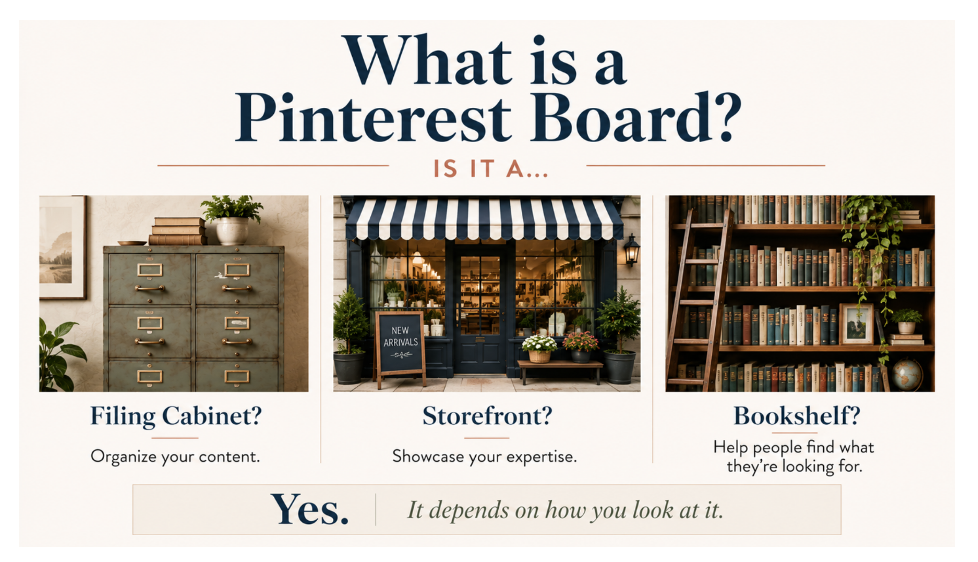
At its simplest, a Pinterest board is a collection of Pins centered around one topic.
In my mind, there are several ways to think about boards. Based on what I’ve observed over the years, I tend to group them into three categories.
The Analytical
If you’re analytical, think of a Pinterest board as a filing cabinet.
Each drawer has a label, and everything inside belongs in that drawer.
The Visual
If you’re more visual, think of a Pinterest board as a storefront.
The name on the front tells people what they’ll find inside, and the collection of Pins is like the merchandise on display.
The Reader
If you’re a reader, think of a Pinterest board as a bookshelf.
Each shelf has a clear subject, making it easier for someone to find exactly what they’re looking for.
Of course, you may have another way of thinking about boards that makes more sense to you. The analogy matters less than the principle.
Every board should make it immediately clear what someone will find inside.
The easier it is for Pinterest—and your audience—to understand what a board is about, the more useful it becomes.
Why Boards Matter for Your Business
When someone lands on your Pinterest profile, your boards help tell the story of your business.
They show visitors what you create, what you know, and the topics you regularly share.
They also help organize your content into meaningful categories instead of one long collection of Pins.
Think of your Pinterest profile as a curated collection of your content and expertise.
Just because you can create a board doesn’t necessarily mean it belongs on your business profile.
As a Pinterest Manager, one of the first places I look when I visit a Pinterest account is the boards.
This is especially true when I’m working with a client in a niche that’s new to me.
Before I look at individual Pins, I look at the boards.
They tell me what the business is about, how the content is organized, and often reveal opportunities to strengthen the strategy.
If boards help me quickly understand an account, it’s worth considering how they help Pinterest—and your audience—understand it, too.
Every Pinterest board tells part of your story. Make sure it’s telling the story you want people—and Pinterest—to understand.
Start With Your Website, Not Pinterest
When I’m building a Pinterest strategy, I don’t start inside Pinterest.
I start with the business.
What does the website talk about?
What problems does it solve?
What are the main content pillars?
Once I understand those answers, I begin researching keyword strategy and how people search on Pinterest.
Only then do I create the boards.
Every board should have a purpose.
One of the biggest lessons I’ve learned over the years is that Pinterest becomes much easier when you build from the foundation up instead of the other way around.
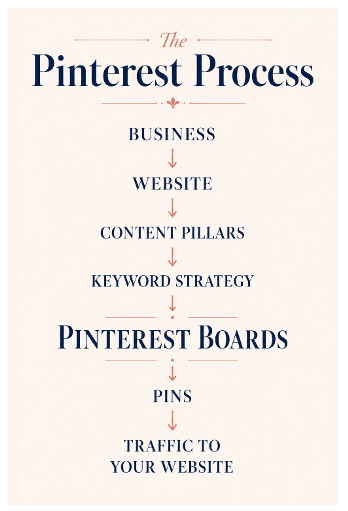
Pinterest boards are the bridge between your content strategy and the Pins you publish.
This is the process I follow with every Pinterest strategy I build.
A Real-World Example: Building Nana Redefined from the Ground Up
One of the reasons I wanted to share Nana Redefined is because it’s a personal project I’ve wanted to create for quite some time.
It’s also given me the opportunity to build a Pinterest strategy from the ground up rather than restructuring an account that already has years of content. In many ways, it’s become my testing ground for putting into practice everything I’m sharing in this article.
At the time I’m writing this, the Nana Redefined website and brand are still being developed. The website will soon be up and running at nanaredefined.com, and the Pinterest account is active at Pinterest.com/NanaRedefined.
Because the website, brand, and content pillars are all being developed together, the process of creating and naming boards has been iterative.
If you think back to the storefront analogy we talked about earlier, this is what I wanted the Nana Redefined profile to feel like.
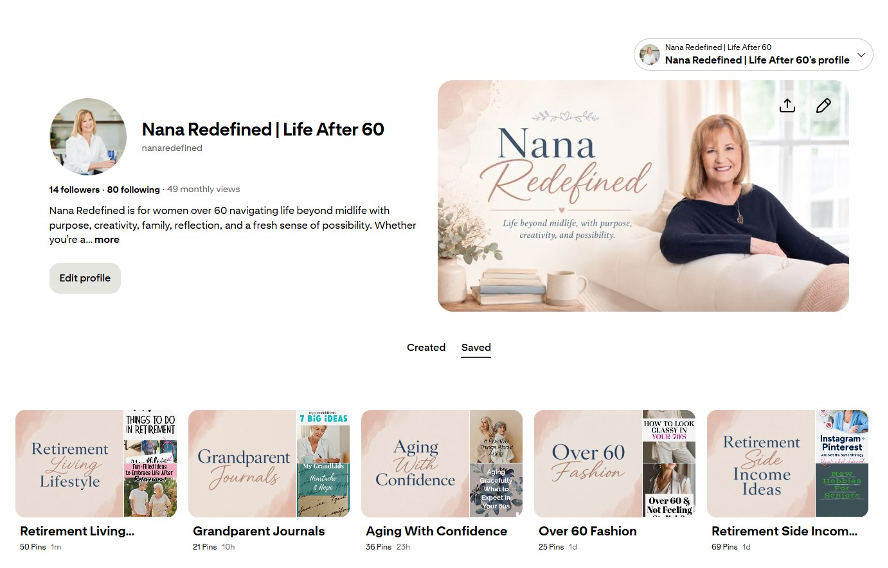
My goal was for someone to land on the profile and immediately understand what
the account was about before opening a single board.
As the content pillars became clearer, the board names became clearer too.
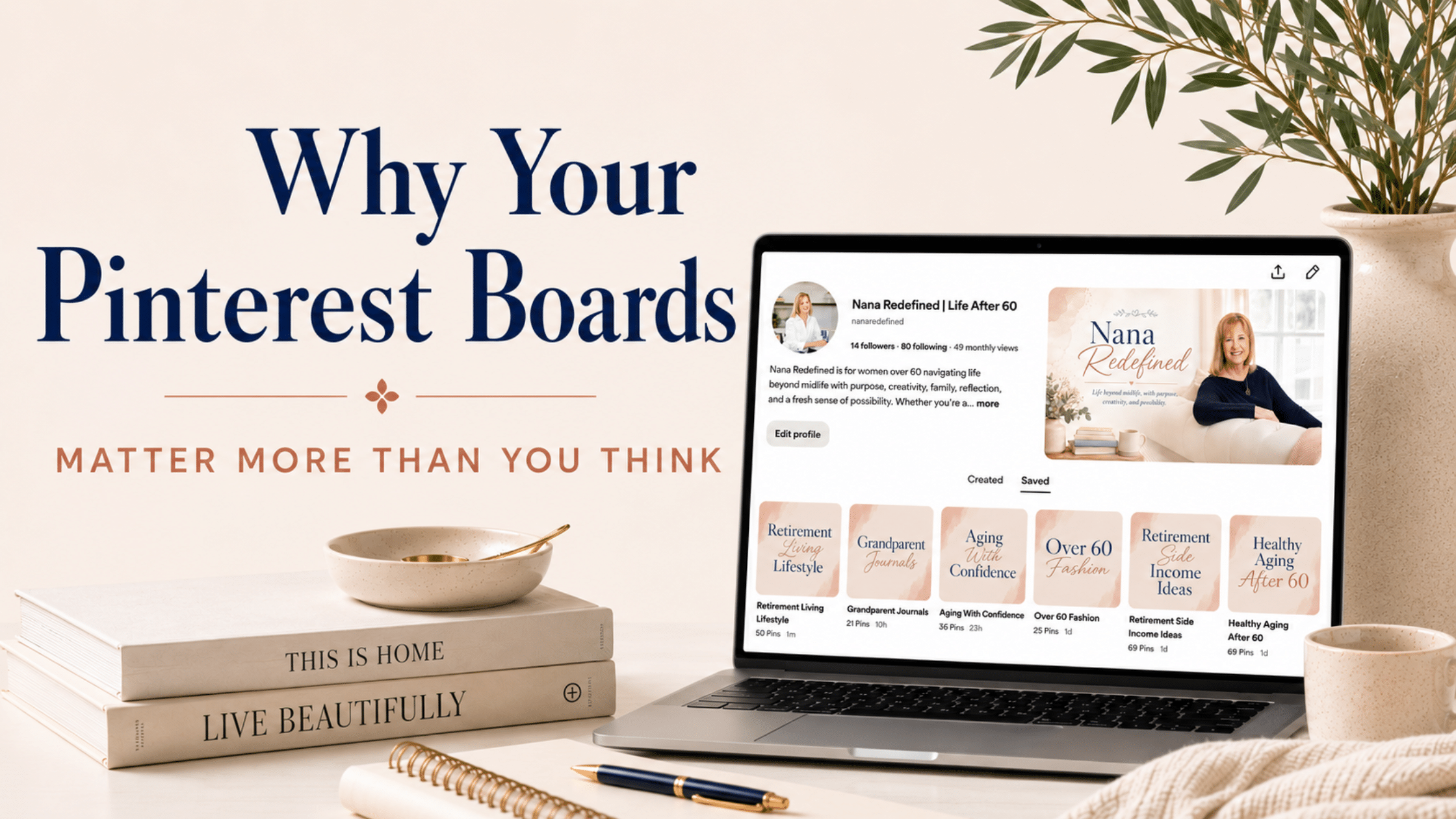
Notice how each board clearly communicates a topic. My goal wasn’t simply to organize content, but to create board titles that immediately tell both Pinterest and my audience what they’ll find inside.
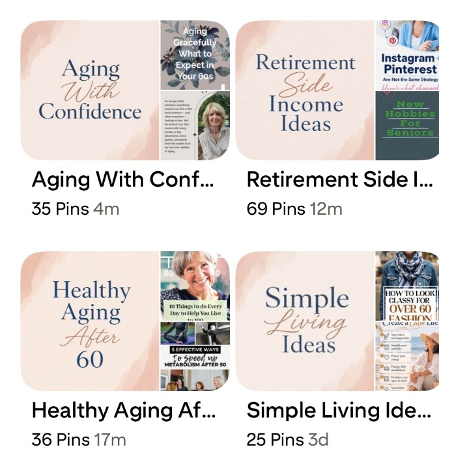
That’s still a work in progress, and I’m sure it will continue to evolve, but building that foundation intentionally has made every new piece of content much easier to organize.
This is a little different from reviewing an established Pinterest account where the boards and content already exist. With Nana Redefined, I’m building the website, content pillars, and Pinterest boards together, which gives me the opportunity to create a more intentional foundation from the start.
Will I make adjustments as the account grows?
Absolutely.
Pinterest evolves. Businesses evolve. Content evolves.
That’s exactly why I think of boards as living collections rather than something you create once and never revisit.
If you’d like to follow along as the account develops, you can find Nana Redefined on Pinterest here: Pinterest.com/NanaRedefined.
Choose Board Titles Your Audience Will Understand
One of the biggest mistakes I see is creating board titles that are meaningful to you but don’t tell anyone else what the board is about.
To be fair, this made a lot of sense in the early days of Pinterest when many people were using the platform mainly for personal inspiration.
A board called “Things That Make My Heart Happy” may have felt perfectly natural if Pinterest was simply a place to save ideas for yourself.
But if you’re using Pinterest for business, your boards need to do more than reflect your personal interests.
They need to help Pinterest and your audience understand what your content is about.
Instead, choose titles that clearly describe the content inside.
Here’s a simple test:
If someone landed on your Pinterest profile and only looked at your board titles, would they immediately understand what your business is about?
If the answer is yes, you’re on the right track.
If not, your board titles may need a little attention.
Don’t Create a Board and Forget About It
It’s easy to create a board and then move on to the next thing.
But Pinterest boards aren’t meant to sit untouched for years.
As you publish new blog posts, products, videos, or resources, continue adding them to the appropriate boards. Think of your boards as living collections that grow alongside your business.
Just because a board was relevant two years ago doesn’t necessarily mean it’s the best reflection of your business today.
Pinterest recently shared that boards updated within the last three months have been shown to help drive higher Pin engagement. I wasn’t surprised to see that.
An active board gives both Pinterest and your audience fresh content to explore.
Source: The Secret to Creating Standout Boards
Bigger Isn’t Always Better
One thing I appreciated in Pinterest’s article was its recommendation around board size.
More Pins aren’t always better.
Pinterest suggests aiming for approximately 20 to 100 Pins in a board without sections. Their goal is to keep boards “compelling but not exhaustive.”
I like that philosophy.
When a board has hundreds or even thousands of Pins, your best content can easily get buried.
A more intentional collection makes it easier for someone to quickly understand the topic and find the ideas they’re looking for.
If a board naturally grows because it covers several related topics, it may be time to consider creating additional boards with a more specific focus.
What About Older Boards?
One question Pinterest doesn’t really address is what to do with boards that have become outdated, overly broad, or no longer fit your business.
If you’re using Pinterest for business, your profile should reflect the content you create today—not necessarily everything you’ve ever been interested in.
You might:
- Refresh the board with more current, relevant content.
- Rename an existing board so it’s clearer and more aligned with how people search, assuming the content still supports that topic.
- Create additional boards around more specific topics if a broad board has grown to cover too many subjects.
- Make a personal board secret if it no longer supports your business but you’d still like to keep it.
- Archive a board if it’s no longer serving a purpose.
Sometimes a simple name change is all that’s needed. Other times, you’ll discover the content itself has evolved and deserves a brand-new board.
The important thing is to test what works for your account.
For example, if you decide to create several more focused boards from one broad board, you might keep the original board active for a while and see how both approaches perform. Or you may eventually decide the original board has served its purpose and make it secret or archive it.
Missy’s Tip
Pinterest gives us best practices, but every account is different.
If you’re considering making significant changes to your boards, don’t feel like you have to change everything overnight. Try one adjustment at a time and give it a chance to perform before deciding what works best for your account.
A Quick Note About Board Covers
Board covers are a personal preference.
I don’t think every account needs them, and I don’t try to sell them as something everyone has to use.
Personally, I like them.
For me, board covers make it easier to quickly scan a profile and identify the main topics. Since Pinterest often shortens longer board titles in the profile view, a simple board cover can provide another visual cue.
That said, board covers are not the strategy.
The strategy is the board structure, the board names, the content pillars behind them, and the content saved to each board.
The covers simply help communicate that organization visually.
Common Pinterest Board Mistakes
Here are a few of the most common issues I see:
- Board titles that are too personal or unclear.
- Boards with only a handful of Pins that are never updated.
- Broad board topics that try to cover everything.
- Creating a separate board for every blog post.
- Forgetting to review boards as your business grows.
Small improvements in these areas can make your profile much easier to navigate.
Sometimes a simple refresh is all it takes to strengthen your Pinterest profile.
One thing I’ve learned over the years is that Pinterest becomes much easier when your content is well organized.
Boards are one of the simplest ways to create that organization.
Final Thoughts
When I first read that nearly 25% of Pinterest’s SEO traffic goes to boards, I found myself looking at my own boards with fresh eyes.
That’s probably the biggest takeaway I’d like to leave you with.
Pinterest boards aren’t something we create once and forget about.
They’re part of an evolving strategy.
If it’s been a while since you’ve reviewed your boards, maybe this is the perfect time to give them another look.
You may discover that a few thoughtful updates make a bigger difference than you expected.
The goal isn’t to create more boards. It’s to create better ones.
Let’s Work Together
If you want to put more focus on your Pinterest marketing and need strategic support, reach out or take a look at my Pinterest Management Packages to see how I work.
Prefer DIY?
Get my Free Pinterest Business Account Quick Start Checklist to make sure your account is set up correctly from the start.
For a deeper dive, check out my How-To Guide to Use Pinterest to Attract Clients and Sales.
Want to Learn More?
Pinterest recently published an article called The Secret to Creating Standout Boards. I appreciated reading Pinterest’s perspective and was pleased to see that many of their recommendations align with strategies I’ve been using with clients for years.
You can read Pinterest’s article here: The Secret to Creating Standout Boards.
I’d also love to hear from you.
Have you ever renamed, reorganized, or cleaned up your Pinterest boards? What worked well? What surprised you?
Share your experience in the comments. We can all learn from each other.